Shopify
Written By Musab
Last updated 6 months ago
This guide will help you connect your Shopify store to Video To Blog using OAuth.
Step 1: Create an app in Shopify Dev Dashboard
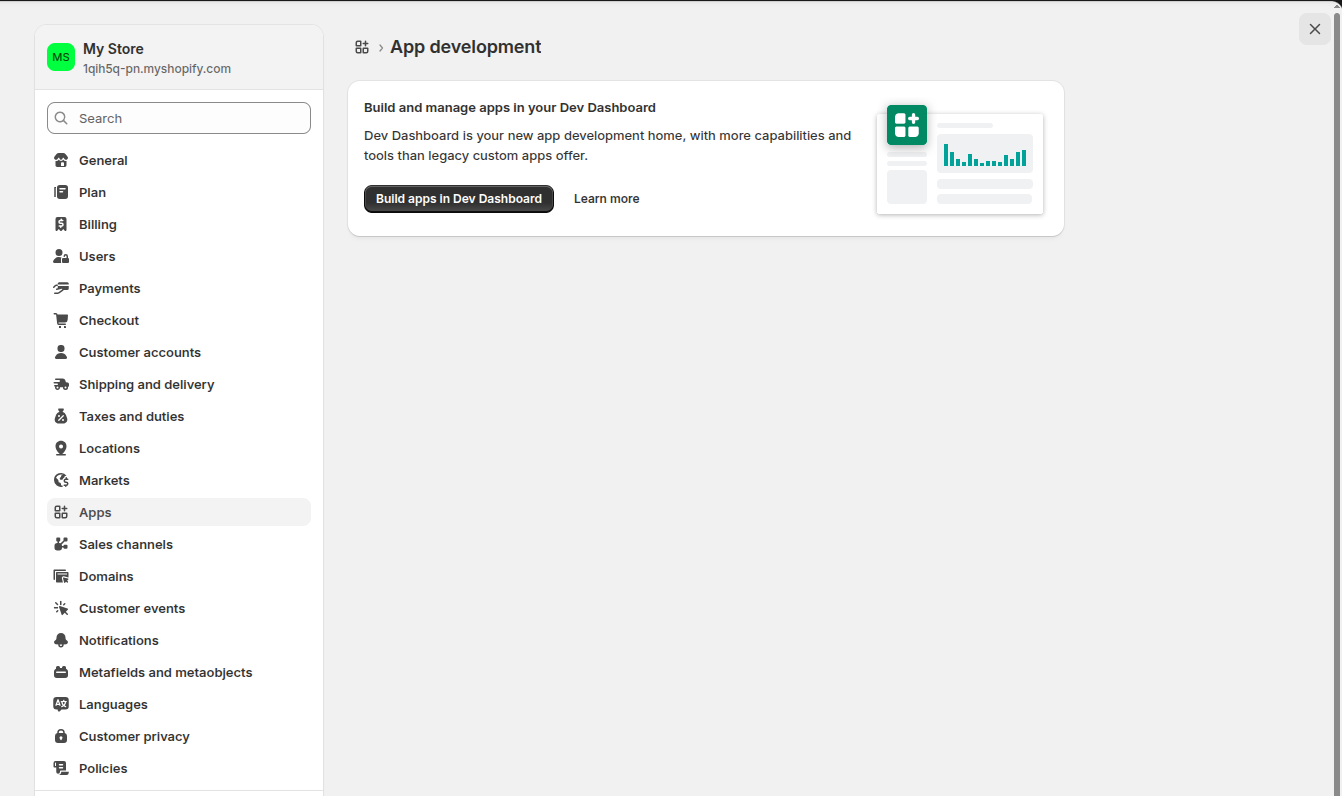
In your Shopify admin, click on "Apps" in the left sidebar. Then, in the "App development" section, click the "Build apps in Dev Dashboard" button.
Step 2: Create your app
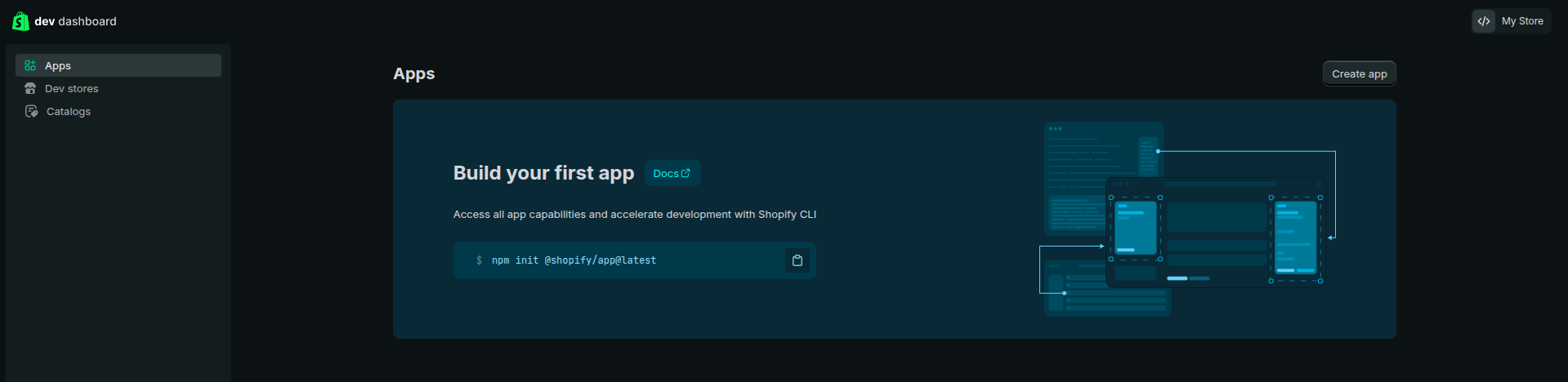
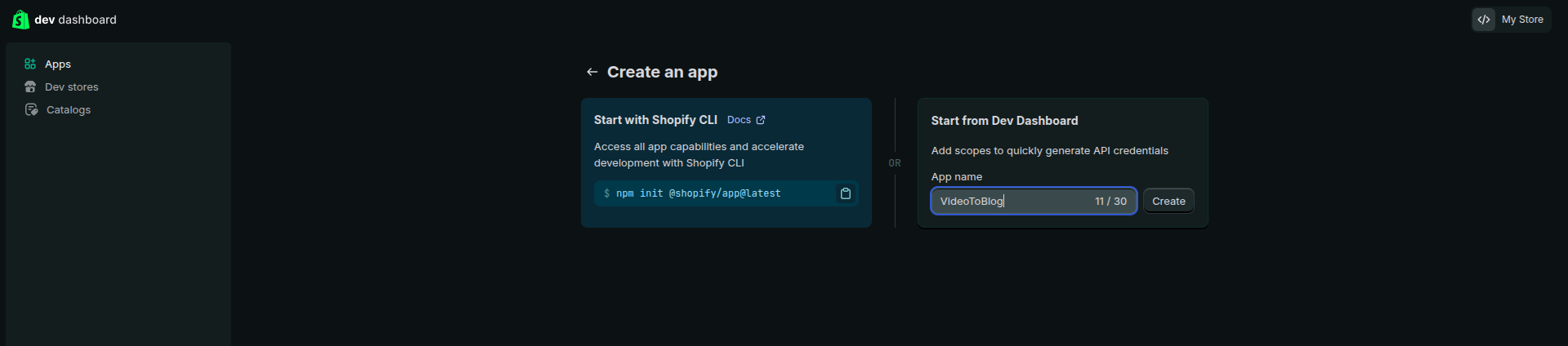
In the Dev Dashboard, click the "Create app" button at the top right. Choose "Start from Dev Dashboard" (the right panel). Enter an app name (e.g., "VideoToBlog") and click the "Create" button.
Step 3: Configure permissions
Click on "Versions" in the left sidebar under your app name.
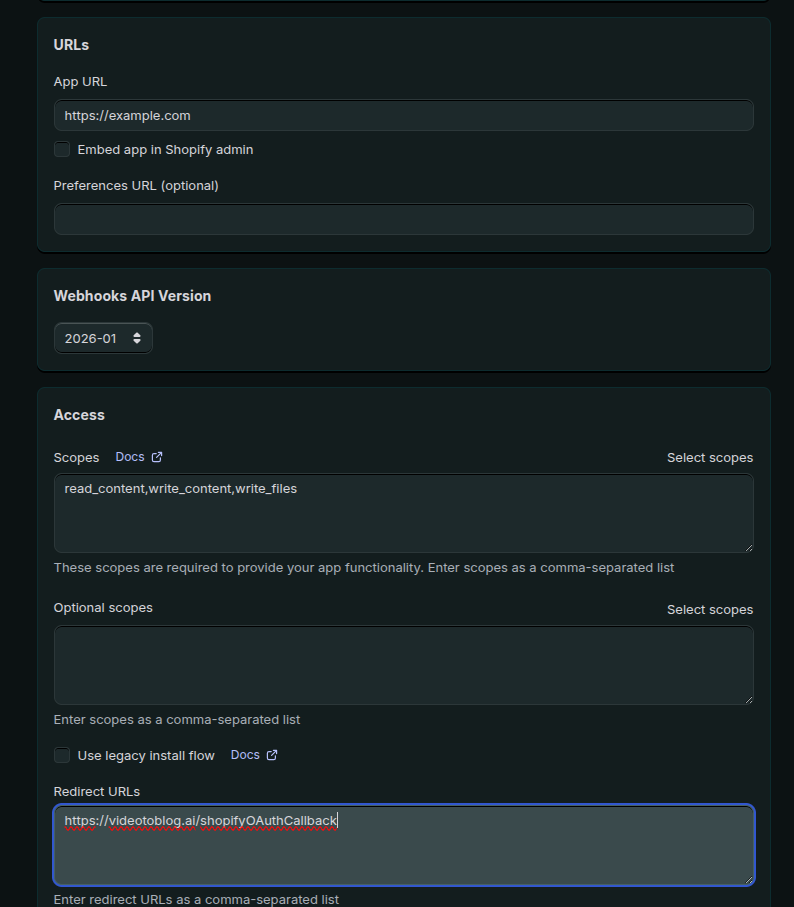
In "URLs" section. uncheck the "Embed app in Shopify admin", leave App URL as it is.
Scroll down to the "Access" section. Under "Scopes", enter the following:
read_content,write_content,write_filesScroll down to "Redirect URLs" and enter:
https://www.videotoblog.ai/shopifyOAuthCallback,https://videotoblog.ai/shopifyOAuthCallback
Step 4: Release your app
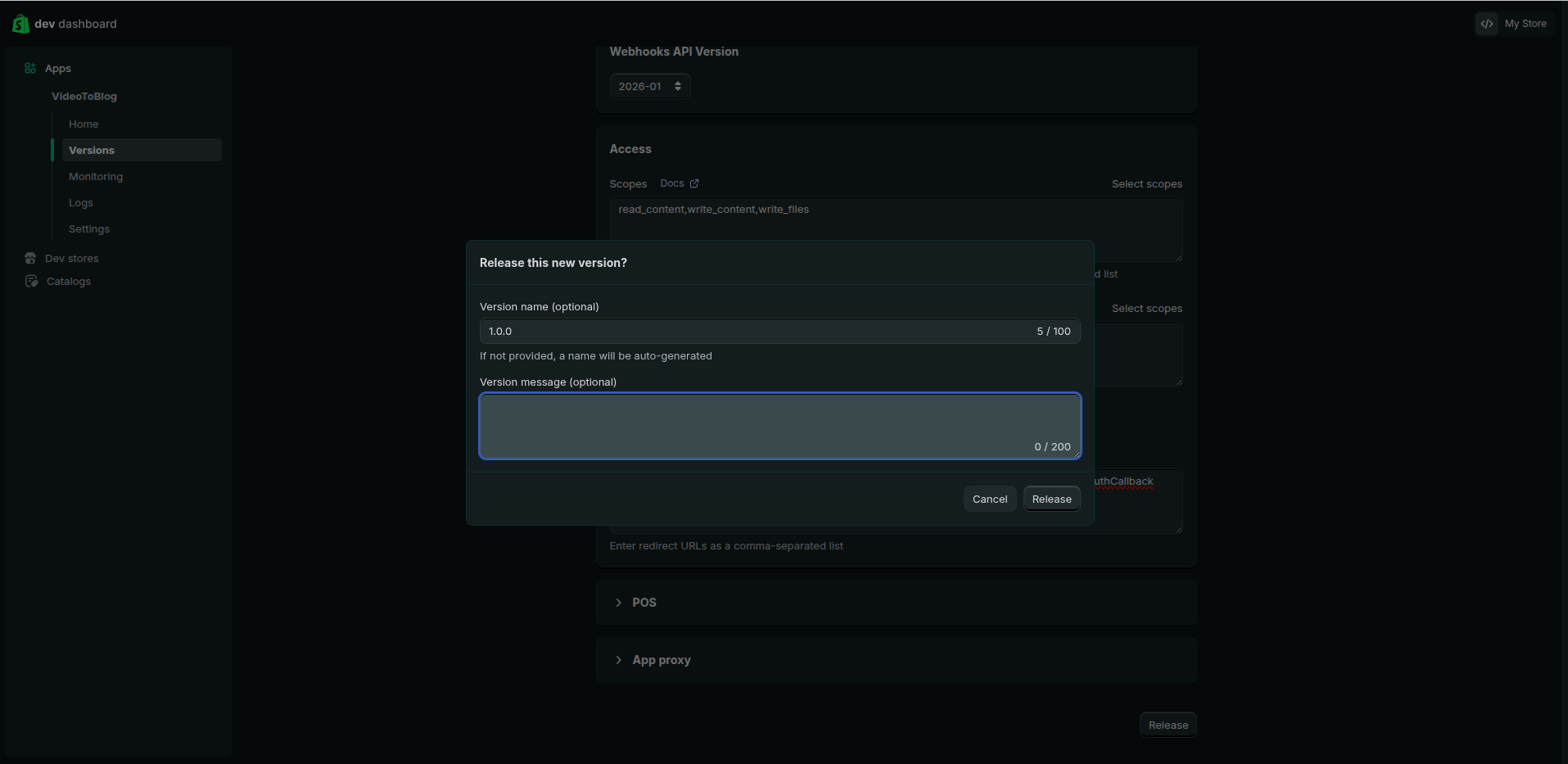
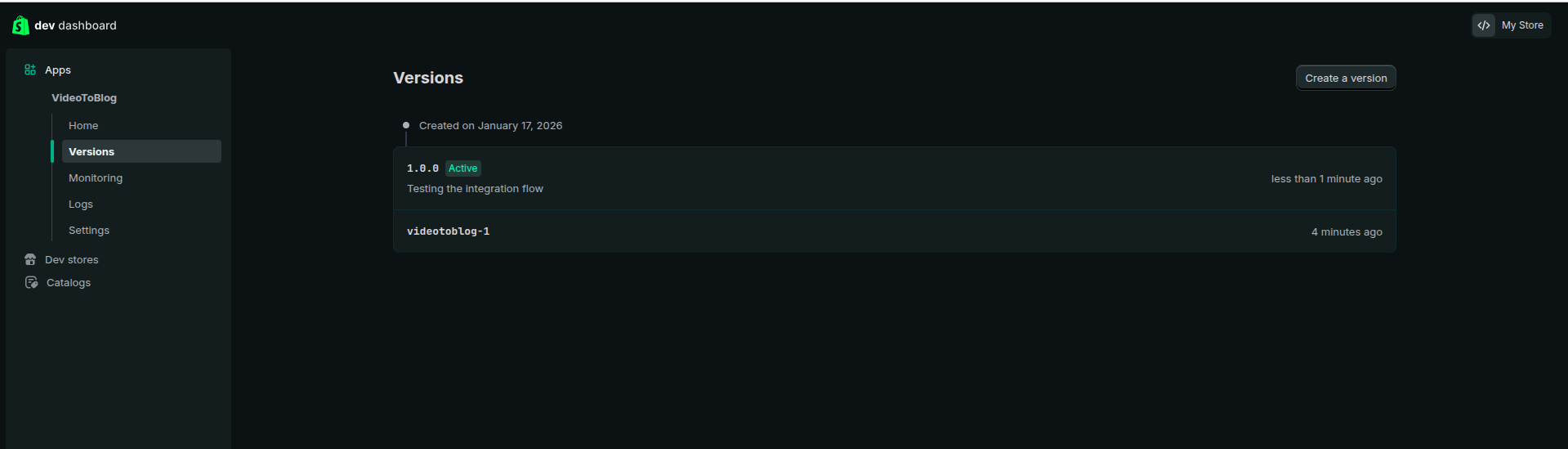
Scroll to the bottom of the Versions page and click the "Release" button. You can optionally add a version name (e.g., "1.0.0") and click "Release" to confirm.
Step 5: Copy your Client ID and Secret
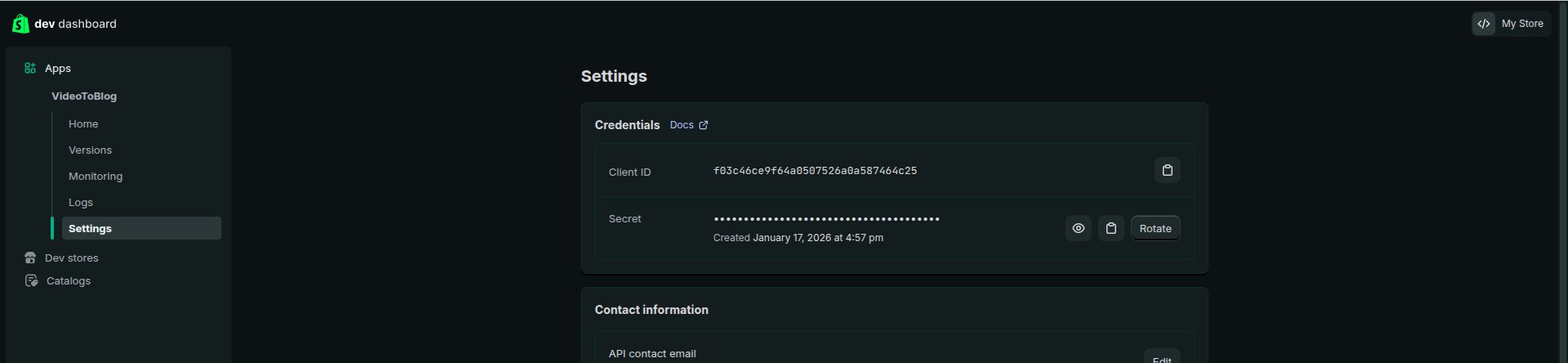
Click on "Settings" in the left sidebar under your app name.
In the "Credentials" section:
Click the copy icon next to Client ID to copy it
Click the eye icon next to Secret to reveal it, then copy it
Important: The Secret can only be revealed once. Make sure to copy it immediately.
Step 6: Get your Shopify domain
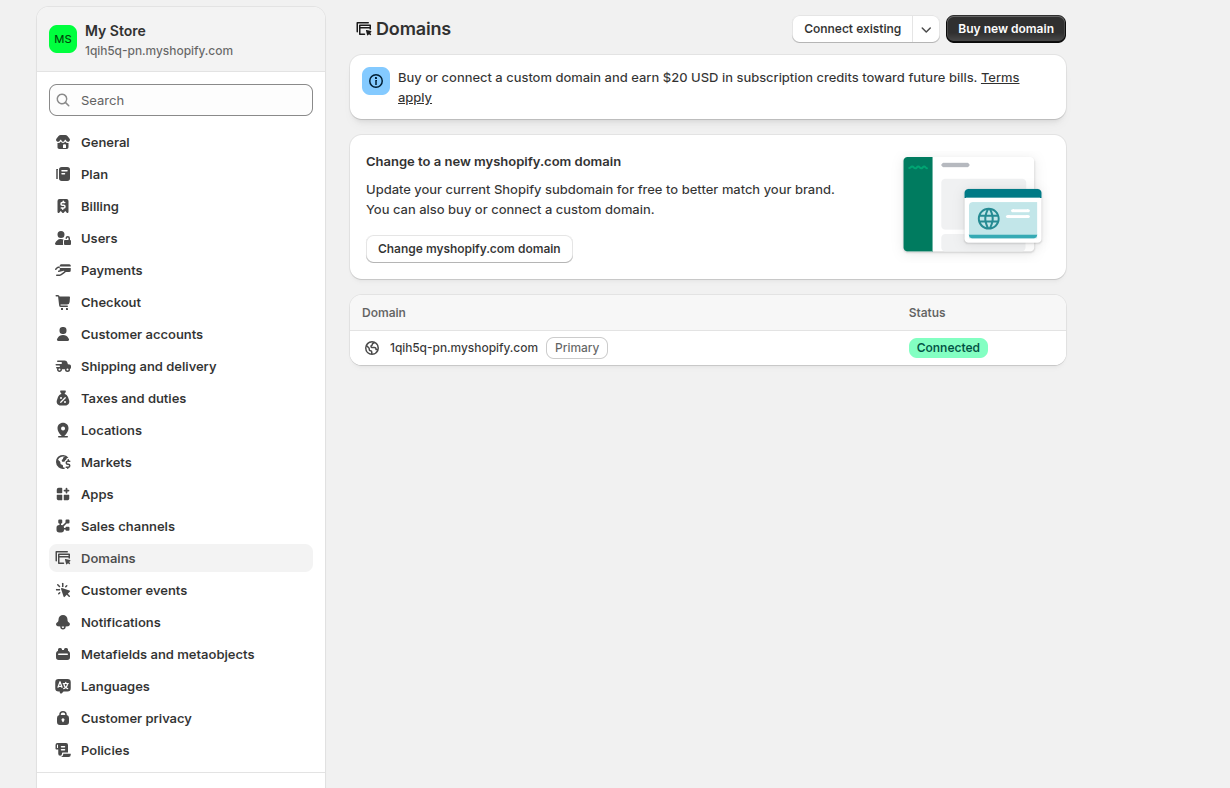
In your Shopify admin, go to "Settings" → "Domains". Find your primary domain (it will be marked as "Primary"). Your domain will look like yourstore.myshopify.com. Copy the entire domain including .myshopify.com.
Step 7: Connect in Video To Blog
Visit Video To Blog site in system’s browser. login and visit settings, click the "Connect" button next to Shopify
Open Video To Blog site in system’s browser, go to Settings → Integrations and click the "Connect" button next to Shopify.
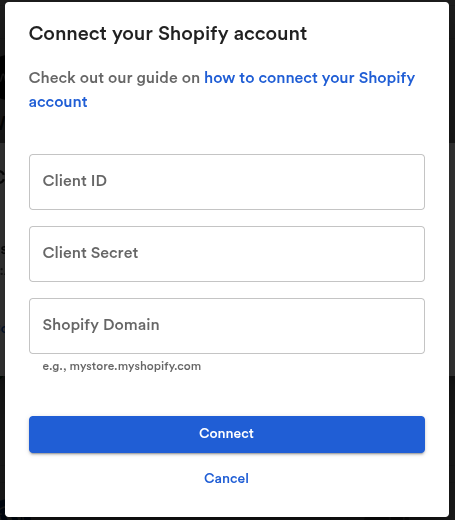
In the "Connect your Shopify account" dialog:
Paste your Client ID in the first field
Paste your Secret in the second field
Enter your Shopify Domain (e.g.,
yourstore.myshopify.com)Click the "Connect" button
You'll be redirected to Shopify's authorization page. Click "Install app" or "Allow" to authorize Video To Blog.
After authorization, you'll be redirected back to Video To Blog and your Shopify store will be connected.