Featured Image
Written By Andrew Petrovics
Last updated 12 months ago
A featured image or video is one that gets displayed at the beginning of the blog post. There are a few options you can choose from…

None
This will not add any featured image or video to your blog post.
Embed Video
This will embed the actual video into the blog post itself.
AI Generated Image
This will add an AI generated image to your blog (using Recraft).
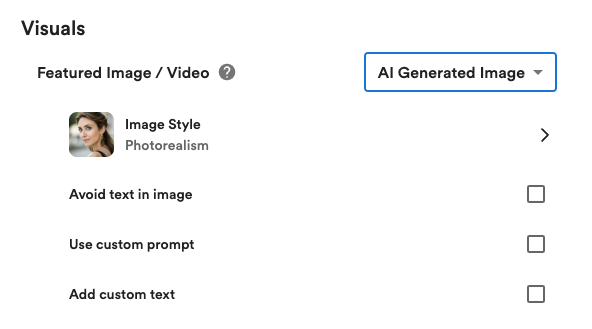
You can customize your AI generated image in the following way…
Image Style - You can select a particular style (like Illustration, Vector, Photorealism, and more) for you AI image to be generated.
Avoid text in image - This option will tell the AI image generator to avoid putting any text/words in the image.
Use custom prompt - This option lets you add a custom prompt to use for the image generation.
Add custom text - This option lets you add any custom text (must be one word with no spaces) to the AI generate image and lets you configure the size and position of where the text will go in the image.
Stock Image
This will automatically add a relevant stock image from Unsplash as your featured image.
Tip: You can add customize what stock image gets automatically added by adding custom instructions.
Video Thumbnail
This will add the YouTube video thumbnail as your featured image.
This option is only available with blogs posts created via a YouTube link.