Wix
Written By Andrew Petrovics
Last updated 12 months ago
To connect your Wix account click the “Connect” button next to Wix in settings.

This will bring up the Wix connection dialog.

Next, create an API Key in your Wix account by going to https://manage.wix.com/account/api-keys and clicking “Generate API Token” in top right.

Give your key a name (e.g. “Video To Blog”)

Then, under “All Site Permissions” check the box that says Wix Blog and Manage Media Site in order to give us the permission to add blog posts and blog images to your site.

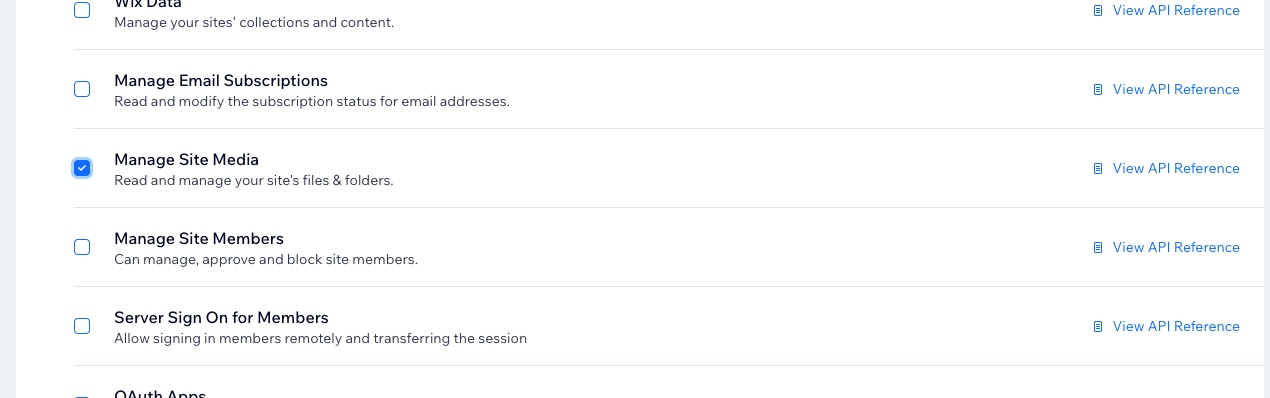
Important: Be sure to give permissions for both Wix Blog and Manage Site Media.
Next, hit the “Generate Key” button.

Copy the API Key in Wix.

Lastly, paste the API key into Video To Blog, and click the Connect button.
