Writing Style
Written By Andrew Petrovics
Last updated 12 months ago
Writing Samples
An easy way to have your blog written in a particular style/tone/structure/etc, is to add a writing sample which demonstrates the particular style you would like your blog post to be written in.
This option is super helpful to get your blog posts to sound like YOU.
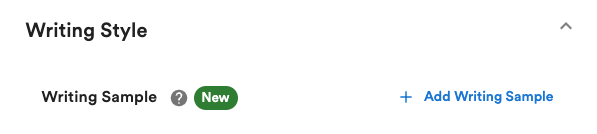
You can add a writing sample to your blog generation simply by clicking the “Add Writing Sample” button shown above.
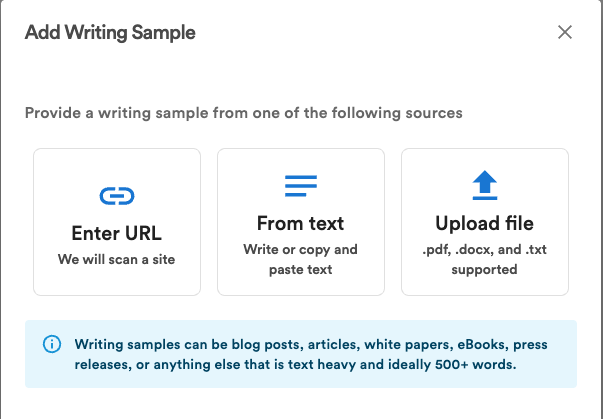
This will bring up a dialog where you can add a writing sample via URL, text, or upload a file.
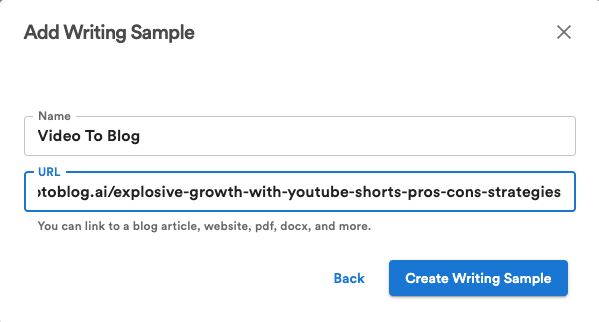
After selecting one of the options, enter a name for your writing sample (so you can easily refer to it later) and either enter a URL, text, or upload a file and then press the “Create Writing Sample” button.
That’s it! You can now select your writing sample into your blog generation and the AI will use that as a guide and attempt to mimic that style of writing.
Tone
Use the Tone option to specify a particular tone for your blog to be generated in. There are many options along with an option to add a custom tone.

If “Auto” is selected, then the AI will attempt to match the same tone that is in the video.
Point of View
Use the Point of View option to select a particular point of view that you want your blog post to be written in.

Add Table of Contents
Enable this option to add a Table of Contents to the beginning of your blog post. This is especially useful for longer blog posts.

Tip: You can also add a Table of Contents to your blog post after it has been generated by selecting “Add a Table of Contents” the quick action toolbar.
Add FAQs
Enable this option to add a Frequency Asked Questions (FAQ) section to the end of your blog post.

Tip: You can customize the FAQs using custom instructions.
Tip: You can also add a FAQ section to your blog post after it has been generated by selecting “Add FAQs” in the quick action toolbar.
Use Chapters as Outline
Use this option to tell the AI to follow the same outline as the chapters in the YouTube video.

This option is only available for blog posts generated with a YouTube link and for videos that have chapters on them.
Use Emojis
Use the option to tell the AI to add emojis to all headers in the blog post.
